AI in Product Design in 2026: What's Actually Changed

Adrian KuleszoCo-founder
Table of contents
Two years ago, the conversation about AI in design was mostly theoretical. Tools were nascent, outputs were inconsistent, and the dominant sentiment in most design teams was cautious curiosity. In 2026, that’s no longer the case. AI is embedded in how design work gets done, and the teams that haven’t adapted are visibly slower than the ones that have.
At DesignMe we design products for AI-native companies, chatbot interfaces, agent UX, onboarding flows for tools that didn’t exist three years ago, and we use AI throughout our own workflow. The perspective I have is from both sides: designing for AI products, and designing with AI tools. They’re related, but they’re not the same conversation.
How AI Has Changed the Design Workflow
The most significant shift isn’t in any single tool, it’s in where designer time actually goes.
Before AI tooling matured, a meaningful portion of design work was generative in the lowest sense: producing the first version of something, exploring variations, making assets, writing placeholder copy, building out states and edge cases. Work that required skill to do well but wasn’t where the real thinking happened.
AI has compressed most of that. Generating a first-pass layout, producing image assets, writing UX copy for 40 button states, exploring colour palette variations, tasks that once took hours now take minutes. The question this raises isn’t “will AI replace designers”, it won’t, for reasons I’ll get to, but rather: what do designers do with the time that gets freed up?
The answer, at least in how we’ve restructured work at DesignMe, is more strategy, more iteration, and higher output volume. A designer who previously delivered three screens in a day can now deliver ten, if they’re using AI well and aren’t wasting the efficiency gain on unnecessary process.
What’s Actually Being Used
The tools that have genuinely changed production workflow in 2026:
AI image generation: used heavily for moodboards, hero illustrations, and custom imagery for clients who don’t have a brand photography library. The quality ceiling for this use case is now high enough that it’s a legitimate production tool, not just a reference point.
AI copywriting integrated into design tools: UX copy, microcopy, empty states, error messages. Writing placeholder copy was always a design task that designers resented. AI handles first drafts of this well, freeing the designer to focus on layout and interaction rather than word count.
AI-assisted component generation: prompting for initial component structures that get refined rather than built from scratch. Not always faster for complex components, but significantly faster for routine ones.
Automated quality checks: contrast ratios, accessibility flags, spacing inconsistencies. Tools that once required a dedicated QA pass now surface issues in real time.
Research synthesis: feeding user interview transcripts or session recordings into AI to extract patterns and surface themes. Still requires a designer to interpret and make decisions, but the synthesis layer is largely automated now.
What AI Doesn’t Replace
The work AI can’t do is the work that was always the most valuable part of design: understanding what a product needs to communicate to a specific person in a specific context, and making decisions that serve that goal.
A model can generate a hero section. It can’t tell you that your hero section needs to lead with a proof point rather than a feature description because your buyer is a VP who’s seen fifteen identical SaaS pitches this week. That judgment, which is really product strategy expressed through design, is where experienced designers earn what they cost.
The agencies and freelancers who are struggling right now are the ones whose core value proposition was execution volume. If you competed on being able to produce a lot of screens quickly, AI has compressed your advantage. If you competed on insight, strategy, and knowing what good looks like in context, AI has made you more productive without threatening your core value.
Designing for AI Products
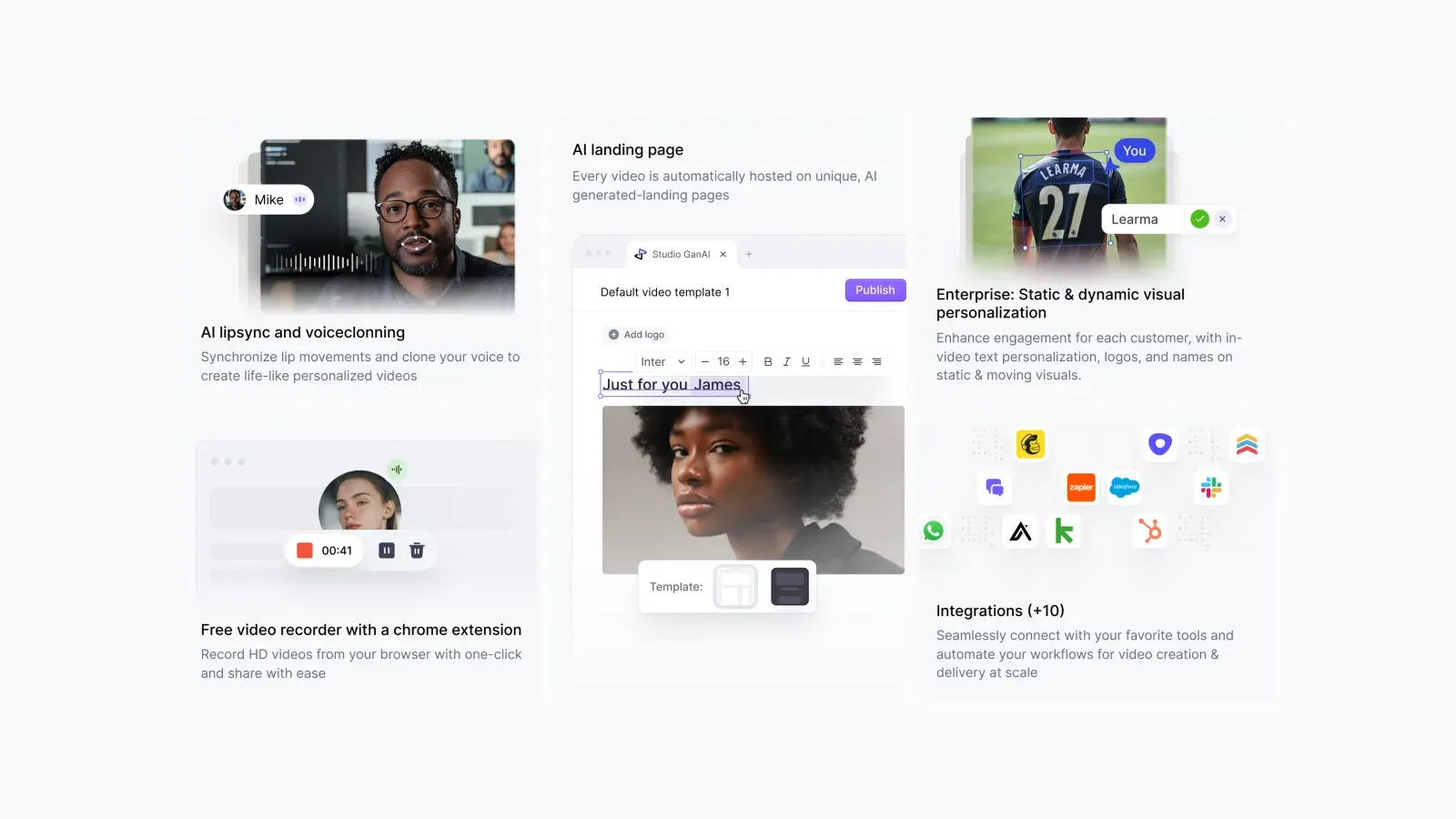
The more interesting design challenge in 2026 isn’t using AI as a tool, it’s designing products where AI is the core feature.
This is a genuinely new problem. The UX conventions that exist for most product categories were developed over decades of iteration. For AI-native products, copilots, agents, generative features, conversational interfaces, most of those conventions don’t exist yet, and the ones that do are evolving quickly.
The Trust Problem
The central UX challenge in AI product design is trust. Users of AI features don’t have calibrated expectations about what the AI will and won’t do well. They’re either over-trusting (accepting outputs without appropriate scrutiny) or under-trusting (refusing to engage with features that would genuinely help them). Good design manages that calibration.
Concretely, this means:
- Being transparent about confidence levels without undermining the output
- Making it easy to verify, edit, and override AI outputs
- Showing enough of the reasoning that users can spot when something is wrong
- Not hiding the AI nature of a feature in a way that erodes trust when it fails
The interfaces that do this well don’t feel like they’re compensating for AI limitations, they feel like they respect the user’s intelligence. That’s a design problem, not an engineering problem.
Latency Is a Design Problem
AI features are often slow by the standards of conventional software interactions. A query that takes three seconds to return a response is unremarkable for search, but jarring in a conversational interface where the expectation is real-time dialogue.
Designing around latency is now a meaningful part of AI product design. Loading states that feel intentional rather than broken. Progressive disclosure of output as it generates rather than a blank screen followed by a wall of text. Managing the perceived wait through context and framing. These are interaction design problems that have no equivalent in traditional software.
Designing for Failure
AI products fail in ways conventional software doesn’t. A database query either returns data or it doesn’t. An AI generates an output that might be wrong, confidently stated, and subtly wrong in ways a non-expert can’t immediately detect.
Designing the failure states of AI features, what the interface shows when confidence is low, how users are directed to verify outputs, how errors are surfaced without destroying confidence in the system, is one of the least-discussed and most important parts of AI product design.
We’ve worked through this with several clients whose products have AI features at their core. The answers are almost always specific to the product context, there’s no universal pattern for AI error states that transfers cleanly. But the question has to be asked deliberately at the start of the design process, not patched in after engineering delivers an MVP.
| Problem | Why it’s hard | What to design |
|---|---|---|
| Trust | Users over-trust or under-trust AI output | Visible confidence, easy verify, edit and override, enough reasoning to spot errors |
| Latency | A three-second wait is jarring in a conversation | Intentional loading states, output shown as it generates, framing for the wait |
| Failure | Output can be confidently and subtly wrong | Low-confidence states, a path to verify, errors that don’t destroy confidence |
Conversational vs. Structured UI
The instinct when building AI features is often to make them conversational, a chat interface, a natural language input, a dialogue. This is sometimes right and often wrong.
Conversational interfaces are appropriate when the problem space is genuinely open-ended and the user benefit of natural language input outweighs the cost of its ambiguity. They’re a poor fit when users actually know what they want and just need a faster path to get it, in which case a well-designed structured UI will outperform a chat interface on every metric.
The AI agent and chatbot space is full of products that chose conversational UI because it felt appropriately AI-native, not because it served the user better. The companies that will win in most AI product categories are the ones that make this distinction clearly and design for how users actually want to interact with the feature, not how the AI works under the hood.
What This Means for Hiring Design
The implications for how companies think about design capacity are significant and not yet fully priced in.
AI has raised the floor of what an individual designer can produce, which means the gap between good and mediocre designers has widened, not narrowed. A strong designer using AI tools is producing at a level that wasn’t achievable two years ago. A mediocre designer using AI tools is producing more mediocre work, faster.
The instinct to underspend on design and rely on AI tools to compensate is understandable but wrong. AI amplifies whatever design thinking the human brings to it. If the design thinking is strong, the output is strong and arrives faster. If it isn’t, AI produces more of the same thing that wasn’t working.
For companies building AI products specifically, this compounds. The design challenges, trust calibration, latency, failure states, conversational vs. structured UI, require experience that most designers don’t yet have, because the problems are new. Underspending here costs more than it saves, and our SaaS website design cost breakdown explains why the cheapest option is so often the most expensive in the end. This shift also changes the in-house-vs-agency calculation, we cover that in when to hire a design agency vs. an in-house designer.
The Practical Upshot
If you’re a product leader or founder reading this, the relevant questions for 2026 are:
Is your design team actually using AI tools in production, or treating them as a curiosity. The efficiency gap between teams that have integrated AI into workflow and teams that haven’t is now material.
Is your AI product’s UX being designed by someone who has shipped AI features before, or by a generalist who’s adapting conventional patterns. The conventions are still forming, and experience with the specific problems of AI UX matters.
Are you designing around trust, latency, and failure from the start, or planning to address these after the MVP is live. Patching them in after launch is consistently more expensive than getting them right in the design phase.
The companies we work with at DesignMe who are getting this right share one characteristic: they treat design as a strategic function for their AI features, not an execution layer. The ones who are struggling are treating it the other way around.
DesignMe works with funded AI and SaaS companies on product design and marketing, from AI agent UX to full product design systems. If you’re building an AI product and want to talk through the design challenges: